
CVS Health uses a wide range of deduction types to manage supplier payments. The most commonly known category among vendors is called Warehouse Payables, which includes issues like shortages, case pack errors, and pricing discrepancies. CVS also issues deductions for co-op advertising, returns, profit recovery, and more.
This guide is designed to help suppliers understand CVS deduction types, locate them in the SAP Vendor Portal, and dispute them using proper documentation and contact points.
What Are CVS Deductions?
CVS deductions are amounts withheld from supplier payments for various operational reasons. These may include shortages, pricing discrepancies, returns, promotional allowances, etc.
CVS groups these deductions by type, and each type has its own method of processing and resolution. Some are managed directly through the SAP Vendor Portal, while others require direct communication with the relevant department.
Types of CVS Deductions
Below are the primary types of CVS deductions, along with a description and typical dispute channel.
1. Warehouse Payables
- Disputed via SAP Vendor Portal
- Includes shortages, pricing issues, and incorrect case packs
- Invoice prefixes: D, DM, V, W, X
- Dispute process handled within the Vendor Dispute Management Dashboard (VDMD)
2. Returns
- Invoice prefixes: CVS, MCR, RX MCR, RX UNSALEABLES, P (Fee-related)
- Managed by the Returns Department
- Disputes handled outside SAP, via department contacts
3. Co-Op Advertising
- Covers allowances, coupons, and promotional agreements
- Invoice prefixes: 00, 18, AD, BB, CD, COUPONS, CWP, DTS, FSI, GENBIL RX, HI, NAV, PIMMS, RX, SB, STRBR
- Contact the Co-Op Advertising Department for resolution
4. Profit Recovery
- Invoice prefixes: AT, CC, PR, PRSCDA, DSB, SBHF, SBWF, SBOR, SBORDC, DEBIT BALANCE Transworld Syst.
- Handled by the Profit Recovery Department
5. Supply Chain Performance
- Invoice prefixes: AI, B, LOG, OTIF, P (6-7 digit), SCP
- Managed by the Supply Chain Performance Department
6. Other Types
- Quality Assurance: SG – contact Cheri.Redman@CVSHealth.com
- A/P Control (Debit Balances): PAY PER SCAN, VENDORS ON HOLD, DEBIT BALANCE CVS
- Legal (Weights & Measures Violations): WMO – contact Linda Cimbron
- Tax Department: Sales tax and W9 inquiries
Finding and Reviewing Deductions
For Warehouse Payables:
- Log in to the SAP Vendor Portal (https://apvendorportal.cvshealth.com)
- Navigate to the Payments section
- Enter the relevant invoice number using the search bar
- Adjust date filters if needed
Only deductions related to Warehouse Payables (D, DM, V, W, X) can be disputed within this portal.
Note: Also, check out the Top 5 Deductions when Selling to Pharmacies.
Disputing Other Deductions
Deductions not classified as Warehouse Payables must be addressed via email or phone with the appropriate CVS department. Use the invoice number prefix to identify the department and escalate accordingly.
CVS Deduction Codes Reference Table
Automating CVS Deduction Disputes with iNymbus
Managing deductions manually at CVS can be time-consuming and error-prone. iNymbus automates the end-to-end dispute process, helping vendors recover revenue more efficiently. Here’s how iNymbus supports CVS suppliers:
- Automated Document Retrieval: Seamlessly gathers supporting documents from ERPs, vendor portals, and emails.
- Faster Dispute Filing: Automatically prepares and submits deduction disputes with greater speed and accuracy.
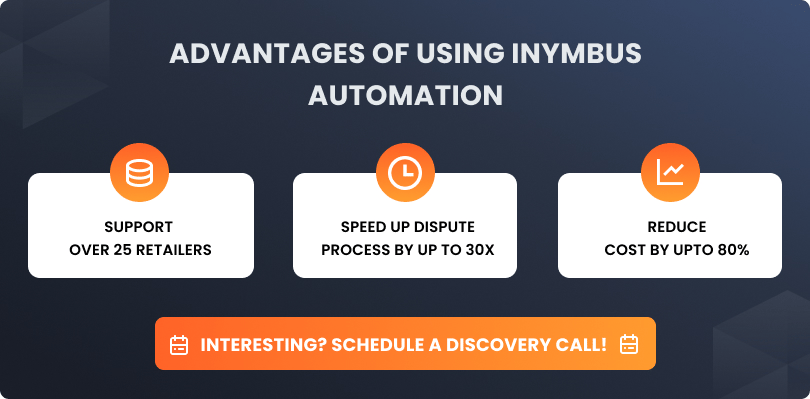
- Accelerated Resolution: Enables vendors to resolve CVS chargebacks up to 30x faster than traditional manual methods.
With iNymbus, CVS suppliers can streamline their deduction workflows, reduce errors, and accelerate cash recovery.