
If you ship to Walmart, EDI is not optional. It is the backbone of every transaction that moves between your facility and Walmart's supply chain.
Purchase orders come in through it. Invoices go out through it. Advance Ship Notices are transmitted through it. And when any of those transmissions fail, the consequences show up on your remittance as deductions.
What EDI Is and Why Walmart Requires It
EDI stands for Electronic Data Interchange. It is a standardized method for exchanging business documents electronically in a structured, machine-readable format rather than through paper, email, or manual portal entry.
For Walmart, EDI serves a specific operational purpose. Every purchase order, every invoice, every shipment notification, and every compliance acknowledgment moves through the EDI network. Walmart uses it to automate receiving operations, reconcile inventory, process payments, and enforce compliance at scale. When EDI data is accurate and timely, it eliminates the need for manual cross-referencing at distribution centers and speeds up invoice payment. When it is not, the system flags the discrepancy, and a deduction follows.
Walmart requires EDI to be set up using the standard X12 format. All documents transmitted must conform to Walmart's posted mapping guides, which define the exact data fields, hierarchies, and formatting rules for each transaction type.
The Two EDI Methods Walmart Offers
Walmart gives suppliers two paths for EDI connectivity. The right one depends on your shipment volume, technical capabilities, and internal resources.
AS2 (Traditional EDI)
AS2 is the recommended method for high-volume suppliers exchanging thousands of documents per year. It transmits data over the internet using digital certificates and encryption, which makes it both secure and fast. Unlike older value-added network systems, AS2 does not require intermediary network fees, which reduces cost at scale.
AS2 connections are managed through Walmart's Global Enterprise Mailbox, or GEM, which is accessed through Retail Link. Setup requires completing the AS2 configuration, uploading your certificate, downloading Walmart's certificate, and testing the connection before going live.
WebEDI
WebEDI is a web-based portal available inside Retail Link for suppliers who cannot support traditional AS2 EDI. It is available at no cost and requires no mapping or technical testing. Suppliers log in, view purchase orders, and manually create ASNs and invoices from within the portal.
WebEDI supports purchase orders across most countries Walmart operates in and supports invoicing in the United States, Canada, and Great Britain. It does not support DSDC (Direct Store Delivery Consolidation) shipments.
The threshold for WebEDI is 5,500 documents per year. Suppliers who exceed that volume are expected to move to traditional AS2 EDI. Walmart also expects suppliers to stay on WebEDI for at least one year before requesting a switch to AS2, in order to manage the costs associated with migration and testing.
Setting Up AS2 Through GEM
For suppliers moving through the AS2 setup process, the path runs through the Global Enterprise Mailbox application inside Retail Link. Here is what that process looks like:
-
Log in to Retail Link and navigate to EDI-B2B, then open the Global Enterprise Mailbox.
-
In the Mailbox search, locate your mailbox and click into the EDIINT (AS2) section.
-
Under the Supplier section, enter your AS2 Name, which is the unique identifier for your company in AS2 transactions, and your AS2 URL, which is the address where your system will receive incoming documents.
-
Navigate to Certificate Maintenance and complete the certificate exchange. Upload your vendor public certificate and download Walmart's public certificate to import into your AS2 system.
-
Once certificates are in sync, run a connection test under Certificate Connectivity to verify a successful link.
-
Under Mailbox Maintenance, locate the Trading Partner setup for your document type. Update your EDI Receiver ID with your company's qualifier ID, receiver interchange ID, and group receiver ID.
-
Once the connection test passes and the trading partner receiver ID is set, update the Production Indicator to Y. After an overnight update, new purchase orders and PO updates will begin flowing via EDI.
Setting Up WebEDI
For suppliers using WebEDI, setup is significantly simpler:
-
Log in to Retail Link and navigate to Apps, then filter for EDI-B2B and select WebEDI v2.
-
From the supplier onboarding dashboard in Supplier One, click Edit on the Payment tile and select EDI-B2B setup.
-
Confirm the EDI integration selection is set to WebEDI.
-
A WebEDI mailbox will be created, and you can begin exchanging documents.
Multiple supplier numbers can be added to a single WebEDI mailbox within the same Walmart region. If you operate across multiple regions, a separate mailbox is required for each.
The Key EDI Transaction Types At Walmart
Understanding what each document type does is important for knowing where compliance failures originate.
EDI 850 - Purchase Order: Walmart sends this to the supplier when placing an order. It includes item details, quantities, agreed prices, shipping origin, and required dates. This is the document that starts the compliance clock.
EDI 856 - Advance Ship Notice (ASN): The supplier sends this to Walmart before the shipment arrives at the distribution center. It includes carton and pallet structure, item quantities, purchase order references, carrier and tracking details, and SSCC-18 label data. The ASN must be transmitted and accepted by Walmart before the trailer gates in at the DC. This is one of the most compliance-critical documents in the Walmart EDI system.
EDI 810 - Invoice: The supplier sends this after the shipment has been delivered. It includes product details, quantities, and agreed prices. Invoices must match the purchase order and the received quantities. Mismatches result in short payment or deductions.
EDI 997 - Functional Acknowledgment: Walmart sends this back to confirm receipt of an EDI transmission. A 997 rejection means the document was not accepted and must be corrected and resent before the shipment arrives.
EDI 824 - Application Advice: Walmart sends this to report errors in EDI documents beyond basic transmission acceptance. Errors in an 824 indicate a business rule violation that requires correction. Warnings are non-critical but should be resolved proactively, as Walmart may convert them to errors in future updates.
EDI 864 - Text Message: Sent by Walmart to a supplier when an invoice is missing required information that prevents it from being processed by Accounts Payable.
Walmart ASN Requirements in Detail
The ASN is where most compliance failures happen, and it is where Walmart's enforcement is most direct. There are three dimensions of ASN compliance that Walmart evaluates.
Timeliness
The ASN transmission must arrive and pass all validation checks before the shipment gates in at the Walmart facility. If there are 997 or 824 errors, they must be corrected, and the ASN must be resent before gate-in. An ASN that arrives after the trailer is already at the DC does not count as on-time, regardless of how accurate it is.
Accuracy
Every line on the purchase order must be included in the ASN. Item numbers on the ASN must match what is physically on the shipment. Quantities submitted must match what Walmart receives at the distribution center. Item discrepancies and quantity mismatches are both tracked and can result in SQEP charges.
Completeness
All fields defined in Walmart's ASN mapping guides must be included. The mapping guides define the exact data hierarchy Walmart expects: shipment, order, pallet, carton, and item. Every level must be complete and accurate for the ASN to pass validation.
In addition to the EDI transmission, Walmart requires all shipments to be labeled with SSCC-18 barcodes at the carton and pallet level. SSCC-18 labels support labelless receiving at DCs, which allows Walmart's system to receive freight at the carton level using a single barcode scan without opening the carton.
The ASN data and the SSCC-18 label must be aligned. When they are not, the receiving process fails, and the carton moves to a manual receive path.
Monitoring ASN Compliance
Sending an ASN is only part of the process. Confirming that Walmart received and accepted it is equally important.
After transmission, check the EDI 997 acknowledgment. A rejection here means the ASN was not ingested and must be resent. Monitor the EDI 824 report next. Errors require immediate correction and retransmission. Warnings should be reviewed and corrected proactively.
Retail Link provides two dashboards that support ongoing compliance monitoring. The ASN Dashboard, found under Retail Link > Apps > Advance Ship Notice Dashboard, shows ASN submissions, quantity mismatches, and purchase orders with missing ASNs. The SQEP Dashboard shows compliance issues tied to SQEP penalties, which gives suppliers a running view of their compliance performance over time.
The best practice is to review 997 and 824 messages daily, not just after shipments. Errors that sit unresolved until the day of delivery create compliance violations that could have been avoided.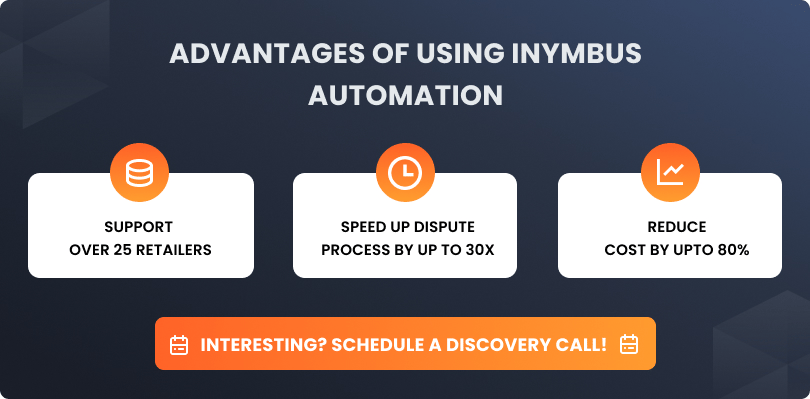
Invoice Compliance and Common Issues
Once freight is received, the invoice (EDI 810) needs to match what Walmart recorded as received. Invoices submitted through WebEDI can be generated directly from the purchase order by navigating to the PO detail view and clicking the invoice link. This pulls the PO data into the invoice automatically, which reduces manual entry errors.
Invoices should not be submitted on the same day the purchase order is received. Doing so risks a false rejection if the PO has not yet reached Walmart's Accounts Payable system. Waiting one business day before submitting is the recommended practice.
After submission, check the Sent Items page in WebEDI after 48 hours to confirm the invoice status. Statuses move from Processing to Acknowledged to Rejected if AP finds an issue. A Rejected status includes the reason for rejection, which the supplier must address before resubmitting.
Once an invoice has been paid, it cannot be voided.
Penalties for Non-Compliance
Walmart enforces EDI compliance through the Supplier Quality Excellence Program. Penalties are applied at the purchase order header level and accumulate across any purchase order where compliance requirements are not met. Common penalty scenarios include:
-
ASN Not Downloaded: No valid ASN was submitted for a purchase order
-
ASN Late: The ASN was submitted after the shipment gated in at the DC or FC
-
ASN Inaccurate: Item numbers or quantities in the ASN did not match what was physically received
-
Invoice rejections resulting from data mismatches against the purchase order
SQEP penalties are issued automatically. Suppliers who do not monitor their SQEP and ASN dashboards regularly often find that compliance issues have been accumulating over multiple weeks before anyone investigates.
How iNymbus Helps When EDI Compliance Issues Become Deductions
Even well-managed EDI operations run into deductions. A late ASN, validation failure, or mismatch at receiving can quickly turn into SQEP charges that impact your bottom line.
Disputing those deductions manually means pulling EDI documents, acknowledgments, shipment records, and proof of delivery, then assembling and submitting each claim before deadlines close. At scale, this becomes unmanageable.
iNymbus automates that entire workflow.
It logs into Walmart Supplier Center, pulls deduction data, matches it with EDI and shipment records, builds complete dispute packages, and files them automatically across Walmart and other major retail portals.
If EDI-related chargebacks are piling up, iNymbus helps you:
-
Recover more deductions without adding headcount
-
Eliminate manual claim processing bottlenecks
-
Identify recurring EDI and ASN issues faster
Schedule a demo to see how automated dispute recovery works.
Frequently Asked Questions
Still Chasing Deductions Manually?
Recover lost revenue with iNymbus automation